 Nexus One

Keep every customer conversation connected.
Connect Twilio or Ringover to Nexus One and manage calls, texts, lead follow-ups, service conversations, and team assignments from one place — so the right person can respond faster with the right context.
Call, text, assign, and follow up without losing the customer conversation.
Calls, texts, leads, and follow-ups in one connected flow.
Calls & Text brings business communication into Nexus One. Instead of your team jumping between phones, inboxes, spreadsheets, CRM notes, and sticky reminders, customer conversations can connect directly to the people and records that matter.
Connect Twilio or Ringover, then manage calls, texts, lead follow-ups, service responses, and customer communication from one place.
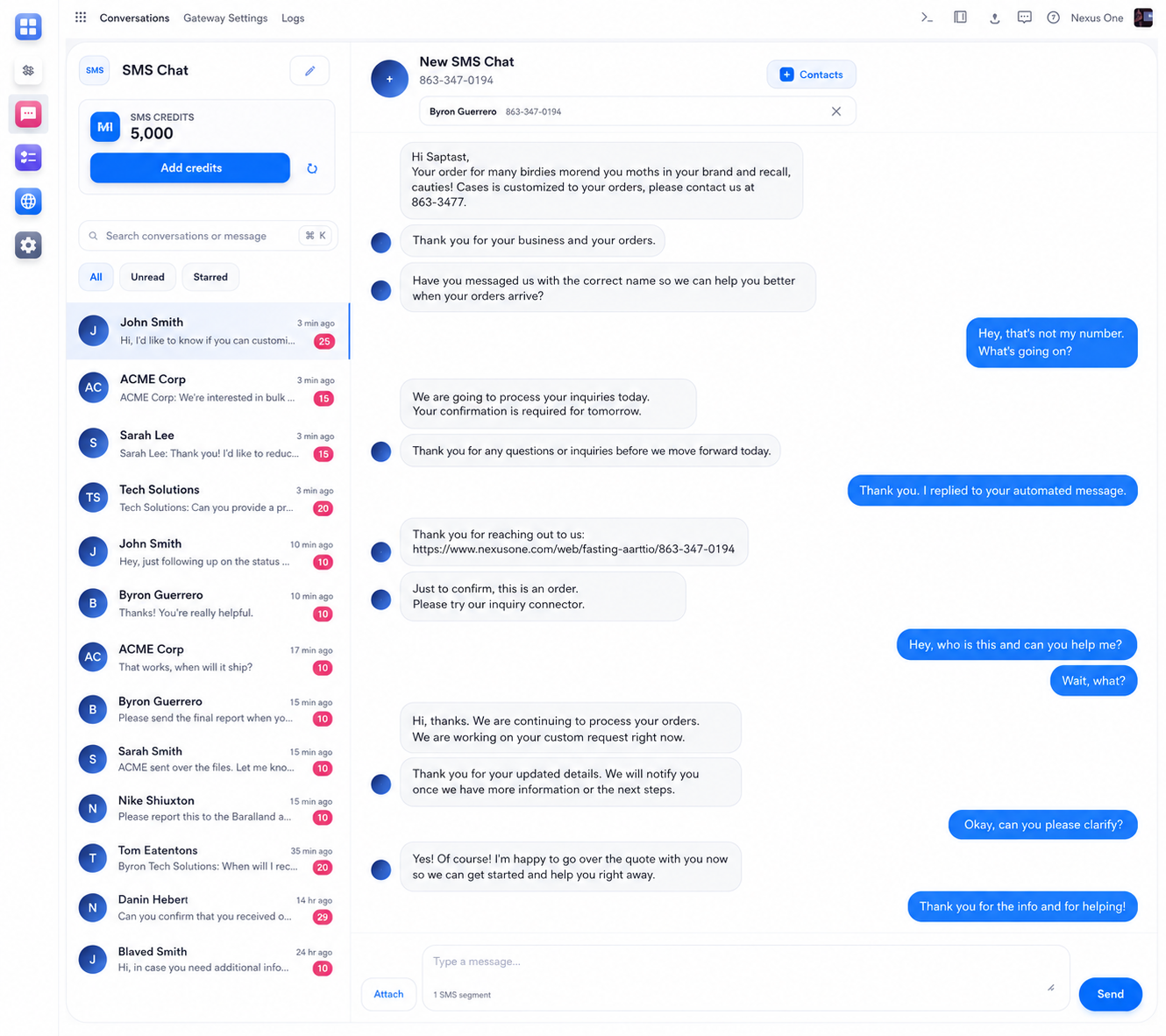
Every SMS conversation, organized in one inbox.
See conversations, contacts, and message history without switching between phones or apps.
Communication Tools Built for Sales and Service Teams.
Connected to the Rest of Your Business.
Calls & Text does not live alone. It works with the rest of Nexus One.
Because missed conversations become missed revenue.
Customers move fast. Leads go cold. Service requests get forgotten. Team members assume someone else followed up.
When calls and texts are disconnected from your CRM and workflows, it becomes too easy to lose context and too hard to know who owns the next step.
Nexus One Calls & Text helps your team respond faster, assign conversations clearly, and keep communication tied to the customer record.
Built for teams that cannot afford to lose the conversation.
Connect your phone system. Start communicating from Nexus One.
Give Your Sales Team the Context to Follow Up Faster.
A lead is more than a name and phone number. It is a conversation, a source, a quote, a question, a timeline, and a next step. Calls & Text helps sales teams manage that communication without losing the story. Reps can call, text, follow up, and see customer context in the same system where the lead lives.
Route Customer Requests to the Right Person Before They Get Buried.
Service teams need clarity. Who called? What did they need? Did anyone respond? Who owns the next step? Nexus One Calls & Text helps turn customer communication into visible work so your service team can respond with more structure and less confusion.
Make Sure the Right Person Gets the Right Conversation.
Not every call belongs to the same person. Sales leads should go to sales. Service problems should go to service. Account questions may need a manager. Nexus One helps organize communication around team roles so customer conversations do not float around with no owner.
Routing behavior depends on your provider setup, Nexus One configuration, team structure, permissions, and business rules.
Use the Phone System Your Business Already Trusts.
Calls & Text is built to connect with supported communication providers like Twilio or Ringover. That gives your business a flexible way to bring calling and texting into Nexus One while keeping provider setup, phone numbers, messaging rules, and regional requirements under the right account configuration.
Calling, texting, number availability, SMS delivery, message templates, call recording, and regional support may depend on the connected provider, account setup, phone numbers, permissions, consent requirements, and applicable laws.
Business Texting and Calling Need the Right Controls.
Calls and texts should be managed responsibly. Your business should use proper consent, message rules, provider settings, phone number configuration, and communication policies. Nexus One helps bring communication into the workflow, but provider setup and compliance requirements still matter.
SMS and calling compliance may depend on your business type, region, provider account, phone numbers, consent practices, message content, and applicable laws. Businesses should review requirements with their provider and legal/compliance advisors where needed.
When communication is organized, customers feel it.
Customers do not care that your team is busy. They care that someone responds, remembers the conversation, and knows what needs to happen next.
Nexus One Calls & Text helps your business respond with more context, more speed, and more ownership. Sales teams can follow up cleaner. Service teams can respond faster. Managers can see what is being handled.
The result is fewer lost conversations and a smoother customer experience.
Bring every call, text, and follow-up into one place.
Enable Nexus One Calls & Text to connect Twilio or Ringover, manage customer conversations, assign leads, route service requests, and keep follow-ups connected to your business records.
Calling and texting features depend on provider setup, phone numbers, permissions, consent requirements, region, and business configuration.